 QuickMerge
HEIC to PNG and JPG Converter
Short answer: To convert HEIC photos to JPG or PNG, add the photos, choose the output format and download the converted files. QuickMerge converts them in your browser without uploading your images.
Convert iPhone HEIC and HEIF photos to JPG, PNG, WebP or BMP — one at a time or a whole trip’s worth in one batch, with a ZIP at the end. Everything runs in your browser, so the photos never leave your device.
How do I convert HEIC photos to JPG or PNG?
Drag & drop HEIC files here
or click to browse — select as many .heic or .heif files as you like
Queue (0)
Output Format
Quality Settings
Higher quality = larger file size
Conversion complete
Individual downloads are on each row above.
Why Your iPhone Photos Are HEIC — and How to Open Them Anywhere
If you have ever AirDropped a photo to a friend with a Windows laptop, emailed a picture to a colleague, or tried to upload a snapshot to an older website and been met with a file that simply will not open, you have run into HEIC. Since iOS 11, iPhones and iPads have saved photos in HEIC (High Efficiency Image Container), Apple's wrapper around the HEIF format. Apple chose it for a good reason: HEIC stores a photo at roughly half the size of an equivalent JPEG while keeping the same visual quality, which is why your camera roll fits so many shots. The catch is that plenty of devices, apps, and web forms still do not recognize the format. This converter rebuilds your HEIC photo as a standard JPG, PNG, WebP, or BMP that is supported more broadly — and it does the whole job inside your browser using the heic2any library, so the photo is never uploaded to a server.
Add as many photos as you need — up to 60 files of 50 MB each — and they convert one after another, with a queue showing the status and the before-and-after size of every file. When the run finishes you can download the photos individually or take the whole batch as a single ZIP. Because everything runs on your own device, it works the same whether you are on an iPhone, an Android phone, a Mac, or a Windows PC.
Step-by-Step: Converting HEIC Photos in Bulk
- Add your photos. Drag a whole folder's worth of
.heicor.heiffiles onto the upload area, or click to browse and multi-select. Up to 60 files per run, 50 MB each. Anything that is not a HEIC is skipped with a reason rather than silently dropped. - Review the preview. A thumbnail and the filename, size, and format appear so you can confirm you picked the right image.
- Choose an output format. Pick JPG, PNG, WebP, or BMP based on where the photo is headed (see the guidance below).
- Set the quality. For JPG and WebP a quality slider appears; 80–90% is a good balance of clarity and file size. PNG and BMP are lossless, so no slider is shown.
- Click "Convert HEIC Image." The file is decoded and re-encoded in your browser, with a progress bar showing each stage.
- Download. Save the converted image; it keeps your original filename with the new extension.
JPG, PNG, WebP, or BMP: Which to Pick
The right output depends entirely on what you plan to do with the photo:
- JPG is the safe default for ordinary photographs. It is understood by every device, website, and app, and the quality slider lets you trade a little detail for a much smaller file. Choose this for sharing, emailing, and uploading to forms.
- PNG is lossless, so it preserves every pixel exactly, and it supports transparency. It is the better pick for screenshots, graphics with sharp edges, or any image you intend to edit further. The trade-off is a larger file than JPG.
- WebP is a modern format that compresses smaller than JPG at similar quality and is well supported by current browsers. It is a strong choice for images destined for a website, though a few older programs still cannot open it.
- BMP is an uncompressed bitmap. Files are large, but the format is about as universally readable as it gets, which can help with older or specialized software that chokes on everything else.
When You'll Need This
- For recipients whose application does not accept HEIC, create a JPG copy and test it in that application. Check format, dimensions and byte limits; successful decoding here does not guarantee acceptance by every destination.
- Uploading to websites and forms: Job portals, government sites, and older content systems frequently reject HEIC. A JPG or PNG sails through.
- Editing in older software: Plenty of photo editors and document tools predate HEIC support; a converted file drops straight in.
- Printing at a kiosk or shop: Many self-service photo printers do not read HEIC, so a JPG on a USB stick or upload avoids a wasted trip.
- Archiving for the long term: JPG and PNG are about as future-proof as image formats get, which makes them safer for backups you want readable in a decade.
Tips and Best Practices
- Use 85% quality for JPG. It keeps photos looking crisp while still cutting the file size meaningfully. Drop lower only when you specifically need a tiny file.
- Reach for PNG when edges matter. Screenshots, logos, and text-heavy images stay sharp in PNG and can blur in heavily compressed JPG.
- Keep the originals. HEIC files are compact and high quality, so it is worth holding on to them and converting copies as you need them rather than deleting the source.
- Stop iPhones from saving HEIC entirely. If you would rather skip conversion in the future, open Settings → Camera → Formats on your iPhone and choose "Most Compatible" to capture JPG directly.
- Large batches are processed one file at a time. That is deliberate: decoding a HEIC produces a full-resolution bitmap, and running several at once is how a browser tab runs out of memory. Sequential conversion is a little slower and finishes far more reliably. Leave the tab in the foreground — some browsers throttle background tabs heavily.
Platform Guides
Use the same converter with Android and Samsung phones, follow the browser or Preview choices on a Mac, or read the Windows 11 and batch guide. For HEIC to JPG on Linux or HEIC to JPG on Chromebook, open this page in a current browser, wait for the decoder to load, choose the files and convert. Offline availability is not guaranteed because the decoder loads as a web resource.
Common Problems and Troubleshooting
- "Please select a HEIC or HEIF file." The tool only accepts files ending in
.heicor.heif. If your file has a different extension, rename it or export a HEIC copy from your photo library. - "File size too large." The limit is 50 MB per file, which is well above a normal iPhone photo. A file that big is usually a burst, Live Photo, or edited export. The per-run file count is capped at 60 for the same reason — beyond that a phone browser is likely to be killed mid-run, and a clear message now beats a lost batch later.
- The converted file is larger than the original. This is expected when converting to a less efficient format. HEIC is highly compressed, so a JPG, PNG, or especially a BMP version can be bigger. Lower the JPG quality if you need a smaller result.
- The preview shows a placeholder. If the in-page preview cannot render, a HEIC placeholder appears, but conversion can still succeed — try clicking Convert anyway.
- The library is still loading. On a slow connection the converter waits for heic2any to finish loading. Give it a moment, or refresh the page if it does not become ready.
How It Works in Your Browser
HEIC is a complex format, so the converter relies on the heic2any JavaScript library to decode it. When you add a file, your browser reads it into memory, heic2any unpacks the HEIF image data, and the decoded pixels are re-encoded into the format you chose at the quality you set. The finished image is offered as a direct download through a temporary object URL. At no point is the file transmitted anywhere — the decode, the re-encode, and the download all happen on your device. That makes the tool safe for personal photos, screenshots of private messages, and any picture you would not want passing through a stranger's server. Closing the tab clears everything from memory.
Next steps
What to do with the result
- compress the converted photos — JPG output from HEIC is often larger than the original.
- remove location data — iPhone photos usually carry GPS coordinates.
- convert HEIC to PDF — to put several photos in one document without converting to JPG first.
- combine the photos into a PDF — for sharing a set as one document.
Guides
- converting HEIC to JPG in bulk on Windows — and how to stop the iPhone producing HEIC in the first place.
Browse all image tools, or see every QuickMerge tool.
No completed size benchmark is published for this tool. See measurement coverage and limitations; stated upload limits are application guards, not tested device capacity.
A checked example
Synthetic examples checked in Chromium on Linux, September 9, 2026. The HEIC input is a licensed sample.
A valid licensed libheif HEIC fixture decoded to this saved JPG: JPEG signature verified, 1280 × 854 pixels, 351,952 bytes. The landscape image opens in the tested browser. This is one decoder example; phone pickers, orientation metadata and save locations depend on the device and source file.
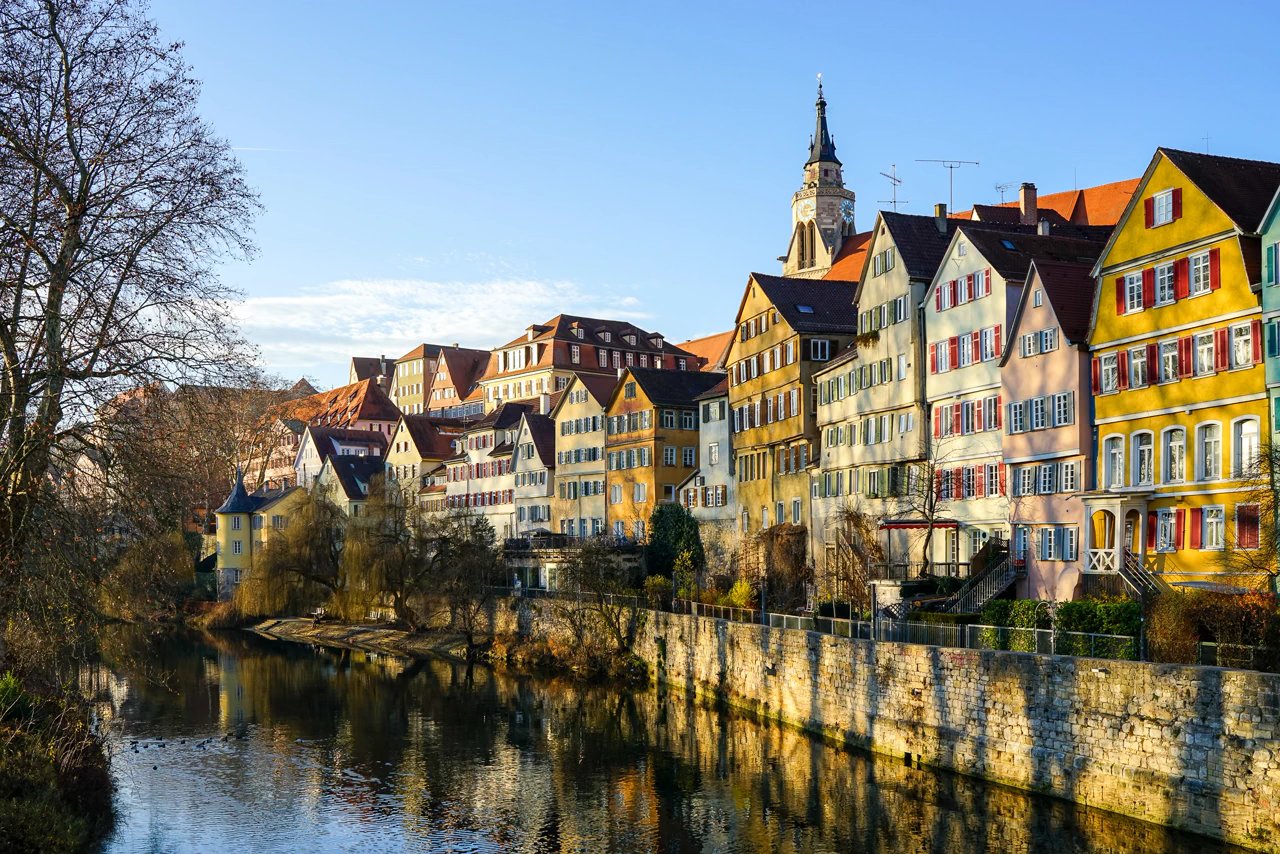
When a HEIC contains multiple images, this tool saves only the first decoded image. Preserve the original container.
Frequently Asked Questions
Yes. Select or drag in as many as 60 files and they are converted in sequence, with a per-file status and size shown in the queue. When the run finishes you can download them individually or take the whole batch as one ZIP. A file that fails does not stop the rest — it is marked in the queue with the reason.
Apple switched to HEIC in iOS 11 because it stores a photo at roughly half the size of a JPEG with comparable quality, letting you keep far more pictures in the same storage. The downside is that many non-Apple devices and older apps cannot open it, which is exactly what this converter fixes.
No. The HEIC file is decoded and re-encoded entirely in your browser using the heic2any library. Your photos never leave your device, so private and personal images stay completely on your machine.
Choose JPG for everyday photos and sharing, PNG when you need lossless quality or transparency, WebP for the web when you want smaller files, and BMP only when you need the widest possible compatibility with older software. When unsure, JPG at 85% quality is the right pick.
HEIC is a very efficient format, so converting to a less compressed one often increases the file size. That is normal. To keep the result small, choose JPG or WebP and lower the quality slider rather than using PNG or BMP.
Up to 50 MB per file and 60 files per run. Most iPhone photos are well under 10 MB, so the size limit only matters for unusually large images such as edited exports or panoramas. Files are converted one after another rather than all at once, which is what keeps a large batch from exhausting the browser's memory.
Why Choose Our HEIC Converter
On-device processing
All processing happens in your browser. No file uploads to external servers.
Instant Conversion
Convert HEIC to JPG/PNG in seconds. No waiting for uploads or downloads.
iPhone Optimized
Specifically designed for converting iPhone HEIC photos with perfect quality.
Batch controls
Convert up to 60 images in one batch, then start another batch if needed. No watermarks or registration.
HEIC to PNG, JPG or WebP — which one you want depends on the photo
The conversion itself is the same work every time. The format you convert to is the decision that affects how the file looks and how large it ends up.
PNG retains decoded pixels without extra lossy compression
PNG does not recover detail lost in the HEIC source or promise to preserve HDR, depth maps, animation or metadata. Inspect fine detail and orientation in the saved output.
JPG is widely supported
JPG uses lossy compression. Check the destination’s format, dimensions and byte limits, then inspect the saved JPG. A supported format alone does not guarantee that an upload is accepted.
WebP when the recipient accepts it
WebP supports transparency and can be useful for web delivery. Confirm support in the receiving application, compare actual bytes and inspect the exported pixels. One output format is not always smallest for every source.
HEIC is one use of the HEIF container
HEIF is a container; HEIC commonly stores HEVC-coded images. Actual codec and image features determine whether decoding succeeds. An unsupported or damaged file can fail even if another HEIC converts.